
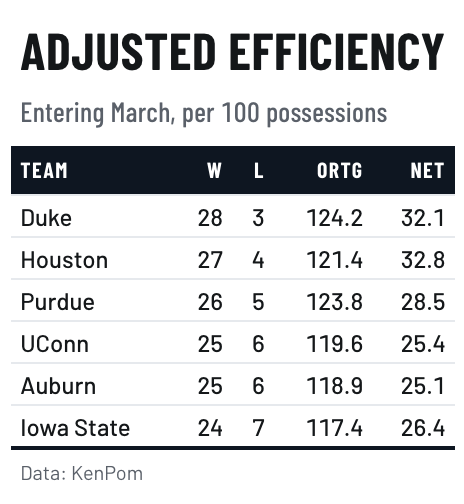
A solid color band carrying condensed uppercase labels, over tight rows, after a television lower-third or a stadium scoreboard.
Usage
gt_theme_scoreboard(
  gt_object,
  accent = "#0E1621",
  density = c("compact", "comfortable", "social"),
  ...
)
Arguments
- gt_object
A
gttable object to modify.- accent
Character. A hex color for the header band. The label color adapts to it. Defaults to
"#0E1621".- density
Character. The type and padding scale. One of
"comfortable","compact", or"social". See Density. Defaults to"compact".- ...
Additional arguments passed to
gt::tab_options, applied last so they override anything the theme sets.
Details
accent sets the band itself, so one argument restyles the whole table to a
brand color. The label color is checked against the band and flipped to dark
if the accent is pale.
Density
density sets the type and padding scale together. "comfortable" uses a
14px body with roomy rows, "compact" a 12px body with tight rows, and
"social" a 17px body with generous rows and a larger title, at the scale
gt_save_crop() and gt_social_crop() export at.
See also
gt_spotlight() for picking out a row, and gt_fmt_rank() for ordinals.